

A deadline tells you when something must be finished. It doesn't tell you when to start the draft, ask for feedback or check that you have everything you need.
Planning backwards helps you find those earlier dates. Start with what you need to hand over, then work back through the steps that make it possible.
Start with the finished result
Suppose you have a short report due in two weeks, on Friday at 3 pm. Before choosing work sessions, check what “finished” includes. You might need the report, a reference list and a PDF uploaded through your course website.
Now ask what needs to happen just before submission. A final check and upload belong there. Before that, you need time to make corrections. Before corrections, you need a draft to read.
That gives you a rough sequence:
| When | What needs to be ready |
|---|---|
| Friday, week two | Checked PDF uploaded before 3 pm |
| Thursday, week two | Corrections and references finished |
| Tuesday, week two | Full draft ready to review |
| Friday, week one | Outline and supporting material ready |
| Monday, week one | Requirements checked and research started |
These are example milestones. A longer report or a project involving other people will need a different amount of time.
Check the steps that depend on someone else
If you want feedback on Tuesday, ask whether the person can read your draft then. Sending it that morning doesn't mean you'll receive comments that afternoon.
The same applies to equipment, materials or a group member's contribution. Make those requests early enough that you can respond if something isn't available. Knowing about a delay while you're planning gives you more choices than discovering it the night before the deadline.
Find room for the work
Milestones show what should be ready. Work sessions give you time to get it there.
Look at the days before each milestone and choose sessions with a clear purpose. “Find three sources” and “Write the first section” are easier to begin than a week full of “Work on report”. Allow time to read, check and revise as well as produce the first draft.
If the sessions don't fit around your existing commitments, adjust the plan now. You may need to start earlier, reduce the scope where allowed or discuss the deadline with the person who set it.
Add the dates to Timetable Maker
Use the dated timeline in Timetable Maker for your submission deadline and project sessions. Give each one a clear name, such as “Report draft ready” or “Check references”. Put the required format or next action in the notes.
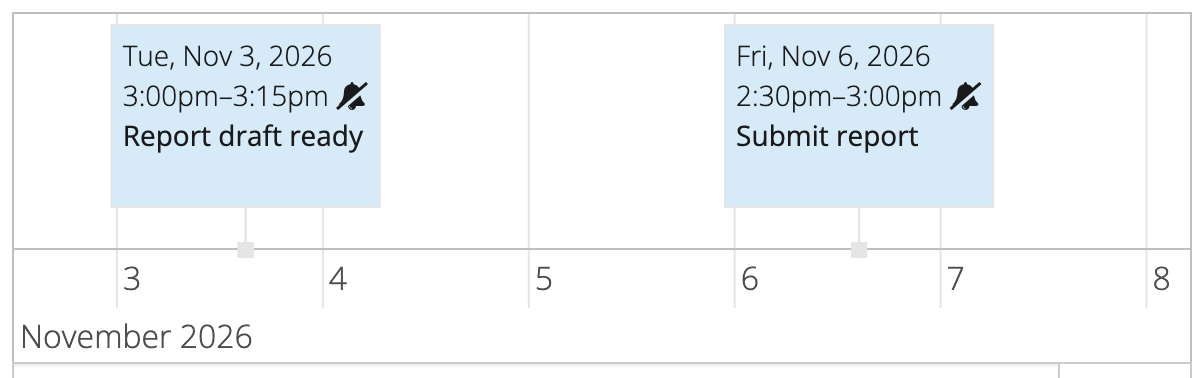
Keep regular classes and work commitments in the weekly grid. That lets you consider the project alongside the routine it needs to fit around. You can follow the guide to planning future events if you haven't used the timeline before.
Save your timetable and keep the edit link. As the work progresses, update the remaining sessions so the plan still reflects what needs to be done before Friday.