

The class starts at 10, but which room is it in? Should students bring their sketchbooks, or will you provide everything? When you run art classes, the small details matter almost as much as the time.
Imagine an independent teacher running drawing and watercolour groups in a shared arts building. There are morning classes during the week, an evening drawing group and a Saturday session. Students reserve their spots with the teacher, then receive a timetable they can refer to before class.
Put the useful details beside the class
Add the regular sessions in Timetable Maker, using the event name for the activity and the location field for the room. A short note can cover what to bring: “Bring a sketchbook and pencils” or “Paper and paints provided”.
For this example, drawing meets on Tuesday morning and Thursday evening. Watercolour runs on Wednesday and Friday mornings, with another drawing group on Saturday. Giving drawing and watercolour their own colours makes the pattern easy to spot.
Leave the event names clear enough to stand on their own. Someone looking at a printed copy should still be able to find the right class without remembering what each colour means.
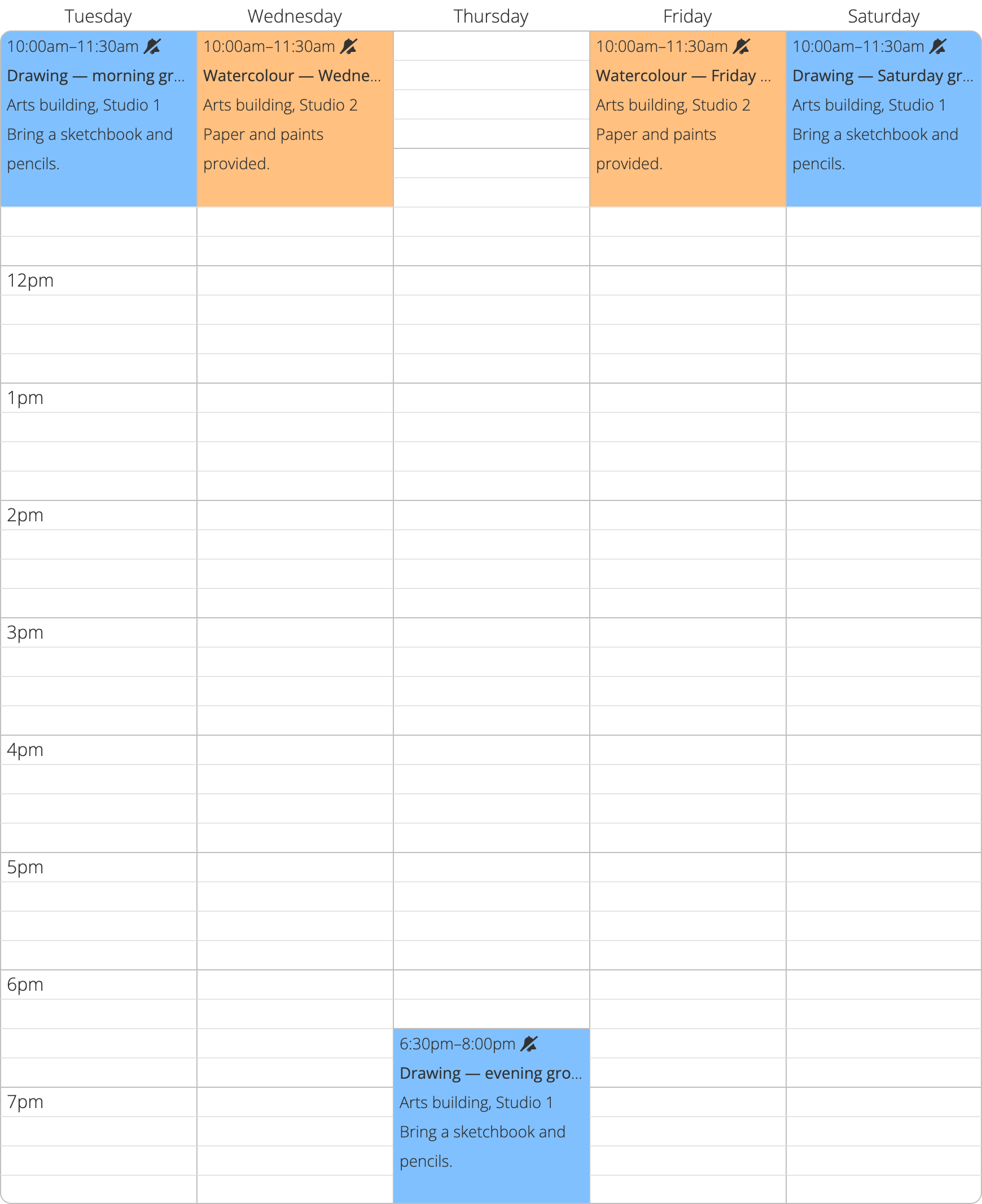
Explore the sample art-class timetable and open a session to read its notes.
Keep a copy in the studio and a link online
Once you have saved the timetable, print it for the studio bulletin board and share the viewing link in your student messages. Keep your edit link so you can return to update a room or change a materials note. Reprint the bulletin board copy when the schedule changes.
A one-off exhibition visit belongs on the dated timeline below the weekly grid. That keeps it separate from classes that repeat each week.
Timetable Maker Plus includes a custom viewing link you can put on a class flyer or your website. Choose a name students will recognize, and you have an easy place to point them when they ask what is happening at the studio.